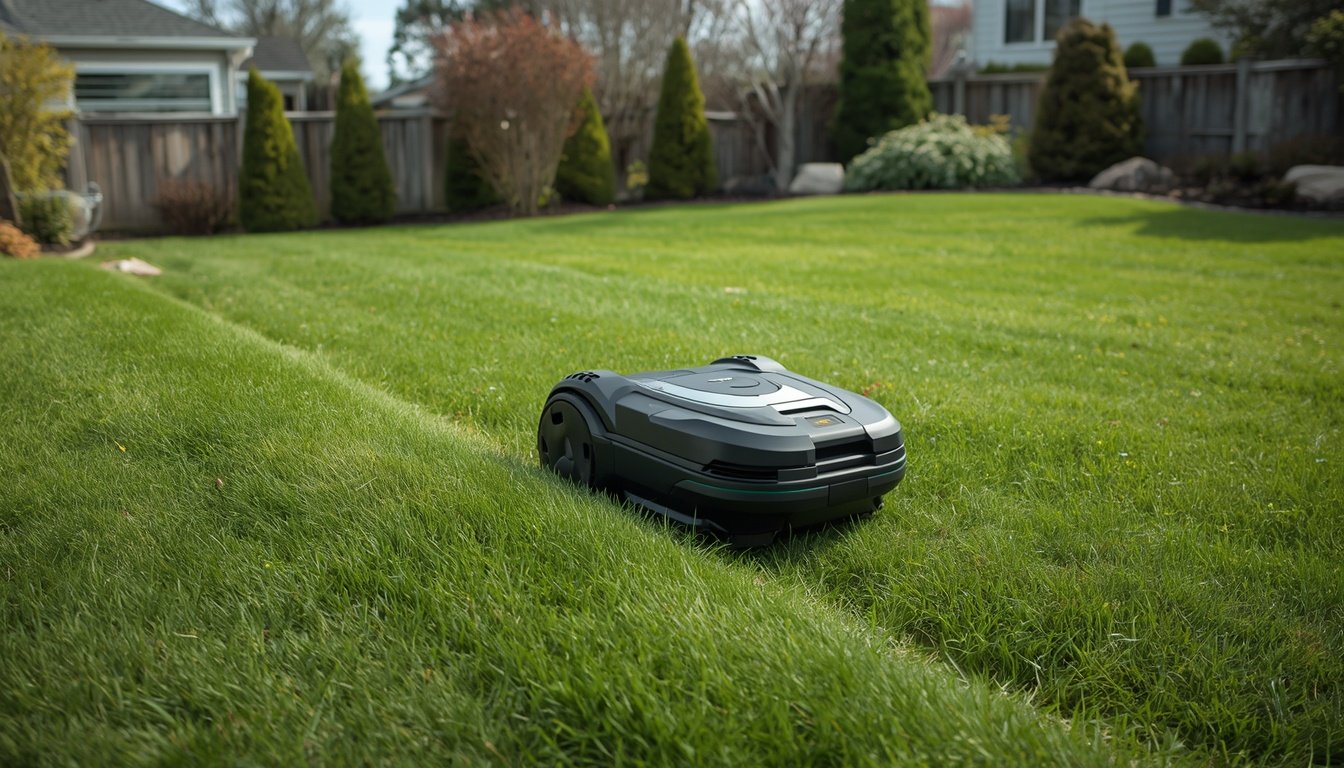
For the strongest RTK signal, place your base station in a location that offers a clear, unobstructed view of the sky and sits as high as possible above ground level. Both vertical elevation and lack of nearby obstructions—such as buildings, fences, or large trees—are key factors. Optimal base station placement ensures your wire-free robot mower receives the most accurate location data, resulting in precise mowing and minimal signal loss. If you’re new to this setup, check out this step-by-step guide on how to install a wire-free robot mower to ensure your system is set up for success.
Understanding RTK Base Station Coverage
RTK base stations provide location corrections using high-precision satellite signals. The area covered by your RTK base station depends on its placement and the environment around it. A well-positioned base station typically creates a circular coverage area with a reliable range, depending on the model, antenna strength, and topography.
If your yard has trees, buildings, or hilly terrain, these can interfere with the signal. Even small obstructions between the base and the robot mower can reduce accuracy or cause momentary drops in connectivity. For homes in suburban or urban environments, it’s even more crucial to find a spot that minimizes barriers.
Remember, the height and angle at which the RTK base station “sees” the sky determine how much area it can reliably serve. Often, positioning the station away from house walls and above tall vegetation makes a dramatic difference. Planning for these coverage considerations from the outset helps avoid frustrating dead spots and unnecessary troubleshooting down the line.
Key Principles of Placement
Optimal placement of a base station isn’t just about picking a random open spot. The three core requirements are sky visibility, distance from obstructions, and elevation. Sky visibility is vital since RTK corrections rely on GPS satellites. Any blockages—like overhangs or dense foliage—directly reduce signal integrity.
Keeping the station away from thick walls, garages, or metal objects lessens interference. Mounting higher up, such as on a sturdy garden post or above a shed, can vastly improve performance compared to ground level. However, avoid placing it directly above metal roofs or reflective surfaces that can introduce unwanted signal multipath errors.
It’s also wise to select a location reasonably close to the center of your mowing area. This ensures your mower operates within the strongest part of the coverage zone for the majority of its time, reducing the chance it ever wanders out of range during operation. In summary, combining open sky, minimal blockage, and central elevation delivers the most reliable RTK signal possible.
Common Mistakes to Avoid
- Placing the station under trees or awnings
- Mounting too close to walls or metallic surfaces
- Ignoring elevation advantages
Each of these mistakes can severely impact the effectiveness of your RTK setup. Trees and awnings may seem convenient for protection, but they block crucial sky view, distorting the RTK signal and leading to navigation errors. Similarly, installing the station close to large walls or metallic surfaces can introduce interference, which could reduce signal precision or create “blind spots.”
Elevation is another easily overlooked factor. While ground-level placement feels easier, even lifting the base by a few feet can often bypass low-level obstructions and improve line-of-sight with satellites. Always avoid mounting the station too low or tucked away for convenience—it may compromise the system’s reliability. By steering clear of these pitfalls, you’ll set a strong foundation for consistent mower performance and fewer signal disruptions throughout your lawn.
How to Test for the Best Location
Finding the best signal spot means a bit of trial and error. Start by picking a location that looks optimal—central in the yard, elevated, and wide open. Power on your RTK base station and run your mower through a calibration or mapping sequence. Pay attention to any notifications about weak signal or lost connection.
If possible, monitor which areas of the lawn the mower covers smoothly and where issues arise. Move the base station as necessary and repeat the process. Aim to maximize uninterrupted coverage in your primary mowing area. In some cases, small adjustments—like moving the station just a few feet higher or farther from dense hedges—can make a major difference in reliability.
Documentation from your robot mower manufacturer can be a helpful reference, but real-world conditions in your yard are always unique. Take the time to test, observe, and fine-tune until your system delivers consistent, error-free mowing with a stable RTK signal.
Practical Tips for Difficult Yards
- Use extension poles or mounts for challenging terrain
- Consider a repeater or secondary station if the yard is large
- Prioritize the most-used mowing zones for coverage
If your property presents unusual challenges—like lots of trees, uneven ground, or outbuildings—some extra tactics can help. Mounting the base station on a tall pole or secure mount might clear sightlines over obstacles. This is especially helpful in high-foliage areas or where fences cut across the yard’s center.
For extra-large properties, a repeater or secondary station may be necessary to provide continuous coverage. Some systems support networked stations, allowing for handoff between zones without loss of precision. When compromises are unavoidable, prioritize mower coverage for the most frequently used or visible lawn sections. Even with constraints, careful base station placement and creative solutions can produce remarkably reliable wire-free mowing.
Maintenance and Seasonal Adjustments
Your base station’s effectiveness might change with the seasons. For example, trees that are bare in winter could become signal-blockers in summer as leaves grow in. It’s wise to reassess placement each spring and fall, making adjustments as your landscaping evolves. Storms, new garden structures, or even renovations can introduce fresh obstacles you need to account for.
Regularly check that the station is secure and weatherproofed. Harsh weather can loosen mounts or compromise electrical connections, so inspection a few times a year is good practice. Also, keep the antenna clean—accumulated dust or bird droppings can sometimes impede signal reception. If you notice recurring dropouts or reduced precision, first verify that foliage or new objects haven’t crept into your station’s line of sight.
Finally, review your mower’s performance logs when available. Spotting a pattern in signal issues can point you to adjustments needed for optimal RTK operation, keeping your wire-free robot mowing flawlessly all year round.